Introduction
In today’s digitally driven life sciences landscape, electronic records and signatures are the backbone of research, manufacturing, and quality assurance. The U.S. Food and Drug Administration (FDA) established Title 21 of the Code of Federal Regulations (CFR) Part 11 to govern these digital systems. Compliance is not optional; it is a fundamental requirement for any company operating in the GxP (Good Practice) environment. A robust validation process ensures your software performs as intended and that your data maintains its integrity, authenticity, and confidentiality. This article provides the ultimate part 11 software validation checklist to fortify your compliance strategy and prepare you for regulatory scrutiny.
Understanding the Foundation: What is 21 CFR Part 11?
21 CFR Part 11 defines the criteria under which the FDA considers electronic records and electronic signatures to be trustworthy, reliable, and equivalent to paper records. The regulation applies to pharmaceutical manufacturers, medical device companies, biotech firms, and other FDA-regulated industries. It specifically targets electronic records that are created, modified, maintained, archived, retrieved, or transmitted under any records requirements set forth in agency regulations. The core purpose of Part 11 is to ensure product quality and public safety by safeguarding data integrity.
The rule is broadly divided into two main sections: Electronic Records and Electronic Signatures. For electronic records, it mandates controls for security, data integrity, and audit trails. For electronic signatures, it establishes stringent requirements to ensure they are unique to the individual and cannot be repudiated. Properly validating the software that manages this data is the only way to demonstrate to auditors that your systems meet these rigorous standards. Without a structured validation process, a company cannot prove its systems are compliant, creating significant regulatory risk.
The Role of Software Validation in Part 11 Compliance
Software validation is the documented process of confirming that a computerized system consistently performs its intended function accurately and reliably. In the context of Part 11, validation provides the objective evidence that your software meets the regulation’s specific requirements. The FDA expects companies to adopt a risk-based approach, meaning the validation effort should be proportional to the impact the system has on product quality and patient safety. A system managing critical batch records requires more extensive validation than one managing non-critical training records, for example.
Failing to validate software properly is a common source of regulatory citations. These failures often surface during inspections, leading to Form 483 observations and, in serious cases, Warning Letters. The consequences can be severe, including product recalls, fines, and delays in product approvals. Understanding common compliance pitfalls is crucial. Reviewing resources like the Top 10 FDA 483 Observations of 2024—and How to Avoid Them in 2025 provides valuable insight into what inspectors are currently focusing on, allowing you to proactively strengthen your validation processes and avoid these common mistakes.
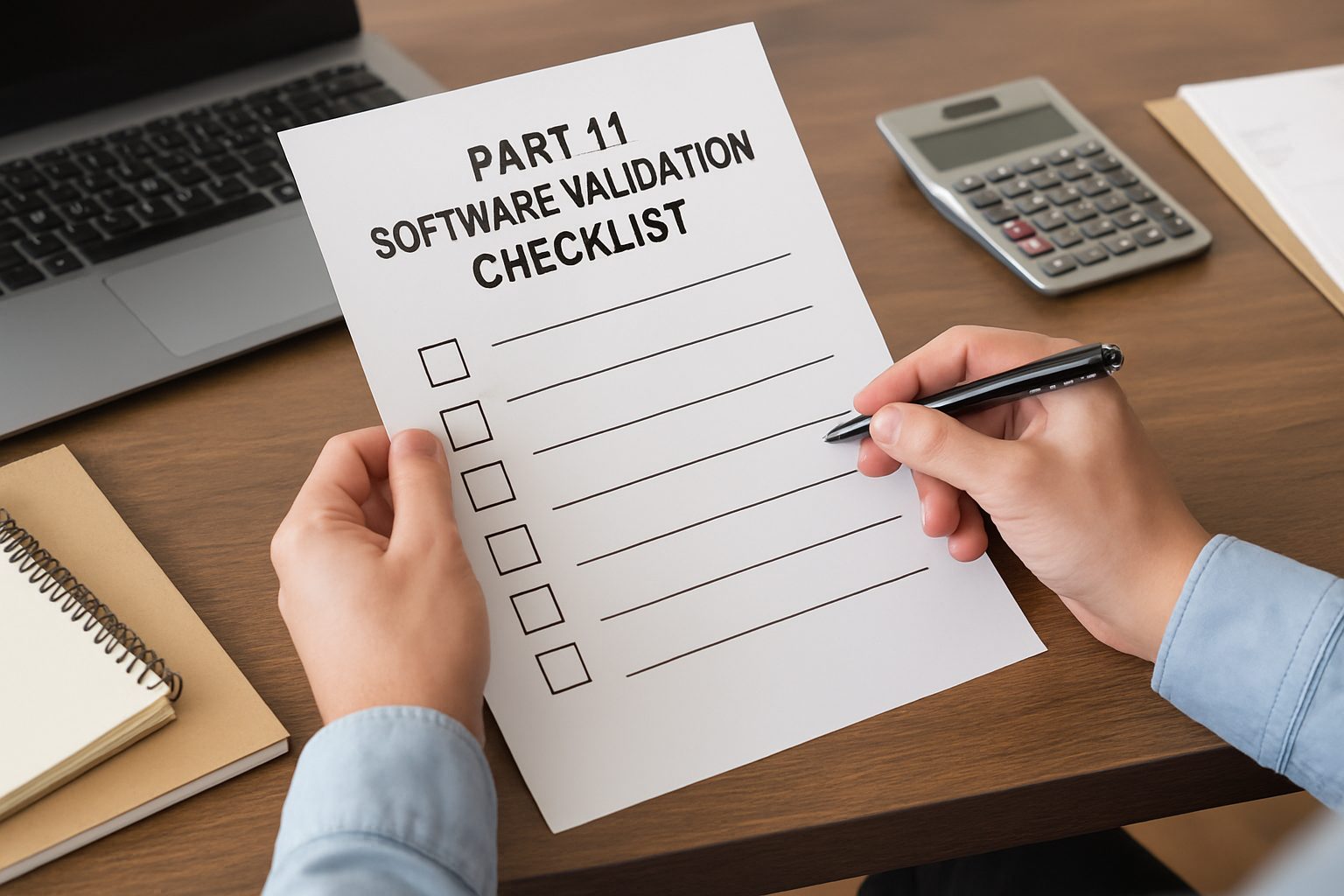
The Comprehensive Part 11 Software Validation Checklist
Use the following detailed checklist to guide your validation activities. This framework covers the critical domains of Part 11 and helps ensure no requirement is overlooked. A thorough approach using this part 11 software validation checklist is your best defense during an audit.
1. System Access and Security Controls
Limiting system access to authorized individuals is a cornerstone of Part 11. Your validation must confirm that security controls are robust and effectively enforced.
- Unique User Credentials: Verify that the system requires a unique username and password for every user. The system must not permit shared or generic accounts. Test that password policies (e.g., complexity, expiration, lockout after failed attempts) are enforced as defined in your SOPs.
- Role-Based Access Control (RBAC): Confirm that user access privileges are based on specific roles and responsibilities. Your validation should include testing scenarios where users with different roles attempt to perform actions outside their authorization. For instance, an operator should not be able to approve a quality control result, and a reviewer should not be able to alter raw data.
- Operational System Checks: Validate that the system enforces a permitted sequence of steps. For example, test that a user cannot enter data for a manufacturing step before the previous step has been completed and signed off.
- Session Timeouts: Ensure the system automatically logs users out after a predefined period of inactivity. This prevents unauthorized access from an unattended workstation. Your validation protocol should specify the timeout period and include a test case to confirm this functionality.
2. Audit Trail Functionality
The audit trail is the system’s chronological record of all activities. It is essential for reconstructing events and ensuring data accountability.
- Secure, Time-Stamped Records: Validate that the system automatically generates a secure, computer-generated, and time-stamped audit trail. This log must independently record the date and time of operator entries and actions that create, modify, or delete electronic records.
- Comprehensive Logging: Confirm that the audit trail captures all critical details: the user ID, the date/time stamp, the specific action performed (e.g., creation, modification, deletion), the original value, and the new value.
- Immutability: Your validation must prove that no user, including system administrators, can disable, modify, or delete the audit trail. Attempting to alter the log should be a key negative test case in your validation plan.
- Accessibility and Review: Ensure that audit trails are available for agency review and copying. Furthermore, you must have a documented procedure for the regular review of these audit trails.
3. Electronic Signature Requirements
Part 11 provides specific criteria for electronic signatures to ensure they are as legally binding as handwritten signatures.
- Uniqueness and Linkage: Validate that the system links each electronic signature to a unique individual and its specific record, preventing anyone from copying or transferring it to falsify other records.
- Two-Factor Authentication (for non-biometric signatures): Verify that the system requires at least two distinct identification components, such as a username and a password, each time a user signs a record. This is a critical control.
- Continuous Signing Sessions: If the system allows a series of signings during a single, continuous session, validate that the initial login (with both ID and password) is sufficient. However, confirm that the system requires re-authentication if the session is broken or timed out. This is an important detail to understand during different Types of FDA Inspections: What You Need to Know (2025 Guide).
4. Electronic Record Controls
The management and integrity of the electronic records themselves are central to compliance. The system must ensure records are authentic, incorruptible, and readily available.
- Data Integrity and Validation: Confirm that the system has built-in checks to ensure the accuracy and integrity of data input. For example, test that the system rejects out-of-spec data entries or requires justification for deviations. Data integrity issues are not unique to one sector; even dietary supplement manufacturers face them, as shown in Most Common FDA 483 Observations for Dietary Supplement Manufacturers (With Real Examples).
- Record Generation and Copies: Validate that the system can generate accurate and complete copies of records in both human-readable and electronic formats, suitable for inspection.
- Record Retention and Retrieval: Ensure the system can protect records throughout their required retention period. Your validation should include procedures for data backup, archiving, and disaster recovery.
Putting the Checklist into Action: A Phased Approach
A checklist is only effective when implemented within a structured validation lifecycle. Follow these phases to integrate the part 11 software validation checklist into your quality management system.
Phase 1: Planning and Requirements
Before any testing begins, you must define what the system is supposed to do. This involves creating a Validation Master Plan (VMP) that outlines the scope, approach, and responsibilities for the validation project. Key documents in this phase include the User Requirements Specification (URS), which describes what the users need the system to do, and the Functional Requirements Specification (FRS), which translates those needs into technical specifications for the developers.
Phase 2: System Development and Testing
In this phase, the system is configured or built, and the validation protocols are executed. These protocols are the detailed, step-by-step test scripts designed to prove the system meets the requirements.
- Installation Qualification (IQ): Documented verification that the system is installed correctly according to specifications and that the environment is suitable.
- Operational Qualification (OQ): Documented verification that the system’s functions operate as specified throughout all anticipated operating ranges. This is where you test the security, audit trail, and electronic signature functions from the checklist.
- Performance Qualification (PQ): Documented verification that the system consistently performs as intended in the actual user environment with trained personnel. This phase often involves running the system with real-world processes and data.
Phase 3: Reporting and Release
After successfully executing all protocols, you must compile the results into a Validation Summary Report. This report summarizes the entire validation effort and provides a concluding statement on whether the system is fit for its intended use and compliant with 21 CFR Part 11. Once the report is approved, the system can be formally released for operational use.
Phase 4: Maintenance and Re-validation
Validation is not a one-time event. You must maintain the system in a validated state throughout its lifecycle. This involves robust change control procedures to manage any updates, patches, or modifications. Any change that could affect the system’s Part 11 compliance requires an impact assessment to determine if re-validation is necessary. A failure to manage post-validation changes can lead directly to a 483 observation or a Warning Letter. Understanding How to Respond to an FDA Warning Letter: A Complete Guide for Manufacturers is essential, but preventing one through diligent maintenance is far better. Even seemingly unrelated industries face similar scrutiny, as highlighted in the US FDA Issues Warning Letter to DeGrave Dairy for Illegal Drug Residue, which underscores the universal importance of regulatory adherence.
Conclusion
Navigating 21 CFR Part 11 is a complex but manageable endeavor. By treating software validation as a critical, lifecycle-long activity, life sciences companies can ensure data integrity, maintain compliance, and safeguard patient safety. A comprehensive part 11 software validation checklist serves as your roadmap, guiding you through the technical requirements for access controls, audit trails, electronic signatures, and record management. Implementing this checklist within a structured validation framework transforms compliance from a daunting challenge into a systematic process. Ultimately, a well-validated system is not just an inspection requirement; it is a cornerstone of a robust quality culture and a fundamental component of your commitment to producing safe and effective products.
Frequently Asked Questions (FAQs)
What is the main purpose of 21 CFR Part 11?
Its main purpose is to ensure that electronic records and signatures are as trustworthy, reliable, and legally binding as their paper counterparts in FDA-regulated industries.
Does Part 11 apply to all electronic systems?
It applies to GxP systems that create, modify, maintain, or transmit electronic records required by FDA regulations. A risk assessment should determine the specific applicability to each system.
What is a “risk-based approach” to validation?
This means the level of validation effort should be proportional to the system’s potential impact on product quality, patient safety, and data integrity.
What is the difference between IQ, OQ, and PQ?
IQ (Installation Qualification) verifies correct installation. OQ (Operational Qualification) verifies that the system functions as specified. PQ (Performance Qualification) verifies that the system works reliably in the user’s environment.
Are audit trails required to be turned on at all times?
Yes, for any Part 11 compliant system, the secure, computer-generated audit trail functionality must be active and cannot be disabled by users.
References
U.S. Food & Drug Administration. (2003). Guidance for Industry: Part 11, Electronic Records; Electronic Signatures — Scope and Application. https://www.fda.gov/regulatory-information/search-fda-guidance-documents/part-11-electronic-records-electronic-signatures-scope-and-application
European Medicines Agency (EMA). EudraLex, Volume 4, Annex 11: Computerised Systems. https://health.ec.europa.eu/medicinal-products/eudralex/eudralex-volume-4_en
International Society for Pharmaceutical Engineering (ISPE). GAMP 5: A Risk-Based Approach to Compliant GxP Computerized Systems. https://ispe.org/publications/guidance-documents/gamp-5
World Health Organization (WHO). Guidance on good data and record management practices (Annex 5, TRS 996). https://www.who.int/medicines/areas/quality_safety/quality_assurance/Guidance-good-data-record-management-practices-QAS15-624R1-19052016.pdf
Pharmaceutical Inspection Co-operation Scheme (PIC/S). PI 011-3: Good Practices for Computerised Systems in Regulated “GXP” Environments. https://picscheme.org/en/publications